
Verify the fit.
Check whether an existing connector covers your product version, region and required events.
Connect sales, stock and fulfilment
Bring orders into ODIN. Turn them into warehouse work. Send stock and fulfilment updates back—so your teams work from the same operational picture.
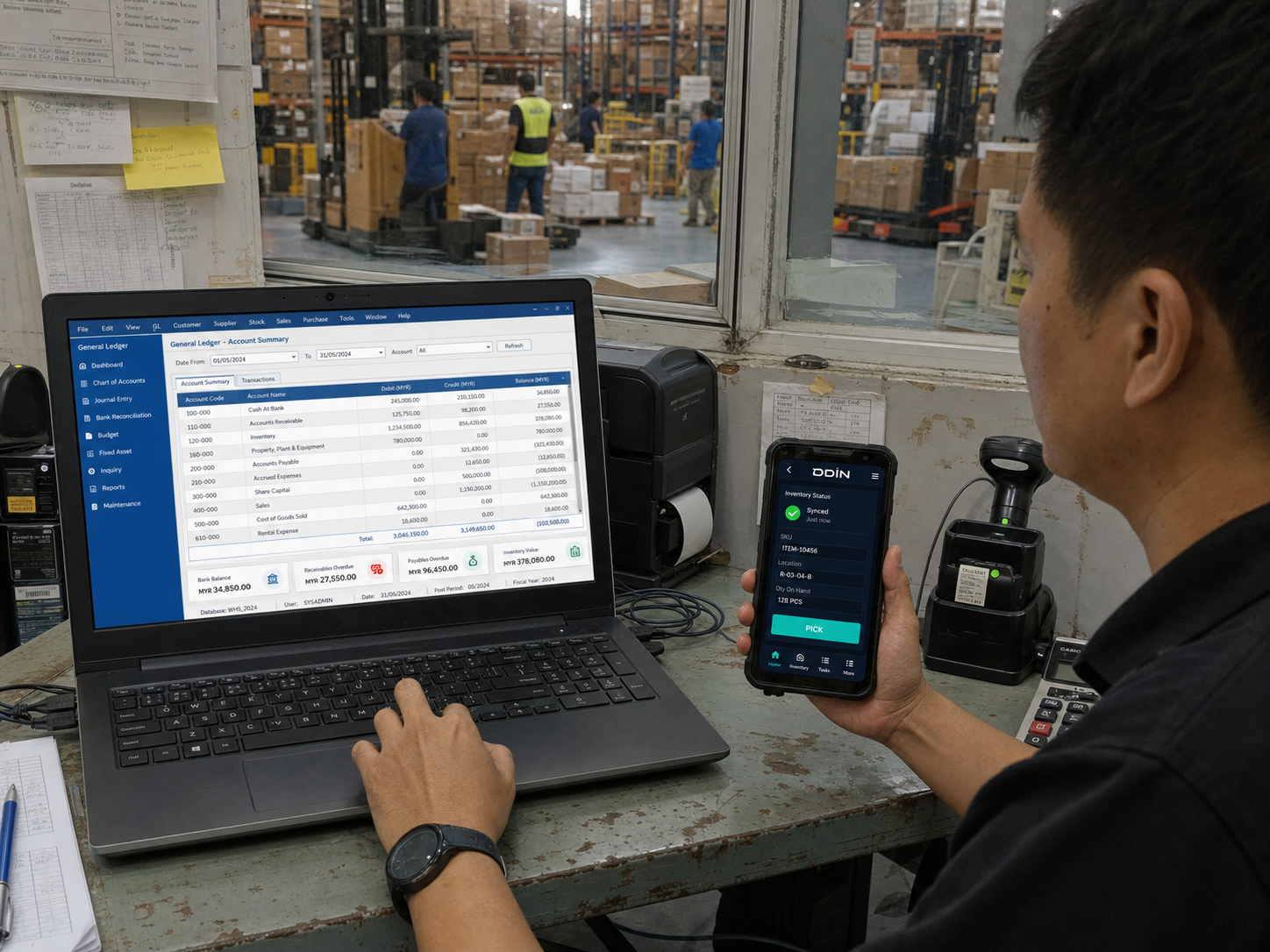
Start with the systems you use
Find your system family below. We check the exact product, version and workflow before confirming connector availability and scope.
 Shopee
 TikTok Shop
 Online storefront
 Marketplace
Orders & cancellations in.
Stock & fulfilment updates back.
 WAREHOUSE OS
 SAP
 Xero
Master data & agreed records in.
Warehouse confirmations back.
YOUR STACK. YOUR OPTIONS.
 WooCommerce
 Amazon
 eBay
 Adobe Commerce
 BigCommerce
 Salesforce
 Dynamics 365
Compatibility to be assessed. These platforms are not listed as confirmed ODIN connectors.
One order. A complete round trip.
Follow an illustrative ecommerce order from checkout to dispatch. The useful integration is the whole journey—not just getting the order into ODIN.
Order reference, items and quantities arrive through the agreed connection.
Order receivedStock is allocated and the order becomes prioritised picking and packing work.
Warehouse tasks createdOperators execute and confirm the work against the order.
Dispatch confirmedThe connected platform receives the fulfilment event and agreed shipment details.
Order status updatedAgreed inventory events keep connected channels informed as warehouse stock changes.
It retains the commercial, financial and master-data responsibilities agreed in the design. ODIN coordinates warehouse execution and exchanges the records each system needs.
See WMS & ERP →For your technical team
Connect your own tools to warehouse actions and data through ODIN APIs. Start with the endpoint documentation, then confirm access and the events your workflow requires.
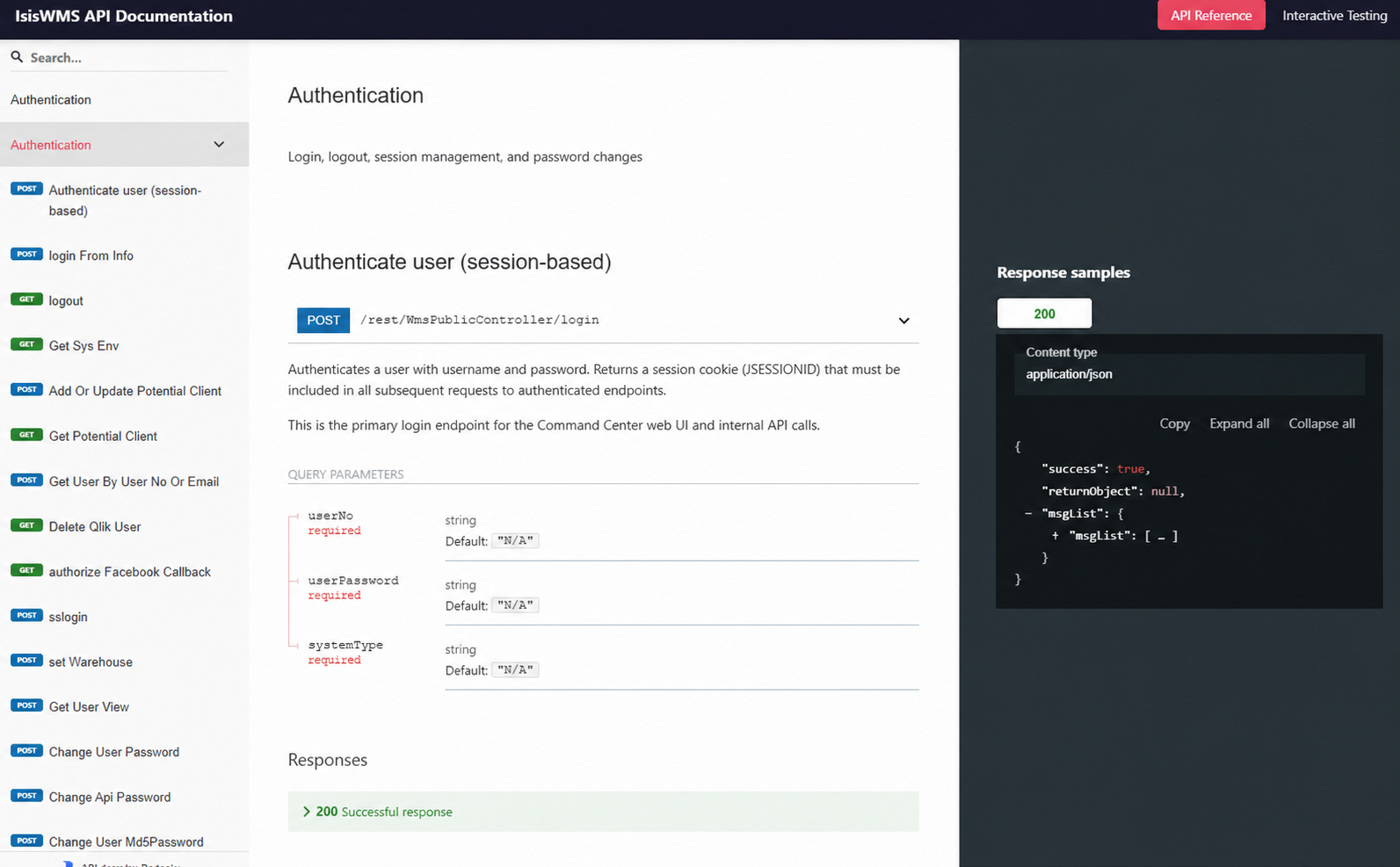 Enlarge API documentation preview ↗
Know the scope before you commit
Start with your system names and the workflow you want to connect. The compatibility review distinguishes existing capability from configuration and development work.
Check whether an existing connector covers your product version, region and required events.
Identify field mappings, stock ownership and business rules that need setup or adjustment.
Separate new interfaces or unsupported workflows, with scope, ownership and delivery estimates to agree.
Practical questions
Integration details depend on the systems involved. Establish these boundaries early.
Not every platform version or workflow is covered by the same connector. Share your system name, edition and required events so we can confirm what exists, what needs configuration and what needs custom work.
Timing depends on the connector and source system. Confirm which events can be sent immediately, which are scheduled and what delay is acceptable. A platform listing alone does not establish a real-time guarantee.
Failure behaviour is part of the integration scope. Retry or replay capability, duplicate handling, reconciliation, alerts and support ownership need to be confirmed for each critical event—not assumed to be identical across connectors.
That depends on connector fit, data quality, custom rules and the availability of your system owner. The review identifies the work needed so delivery estimates and costs can be agreed before implementation.
Start with system names, versions if known, and one example of the work you want to connect. API documentation, sample records and a technical contact help with detailed scoping, but you do not need a completed architecture diagram to begin.
Start with your systems
Tell us what you use and what needs to flow. We will review connector fit, configuration needs and any custom scope with your team.
Start with system names. Bring the technical detail when you have it.