
“Which order must leave first?”
Priority shipping, campaign orders and different platform cut-offs make FIFO the wrong answer.
Late dispatch · platform penaltiesEcommerce fulfilment control
More orders should not mean more penalties, overselling or angry customers. ODIN turns Shopee, TikTok Shop, webstore and retail demand into one ranked queue—so every operator knows what must leave next.
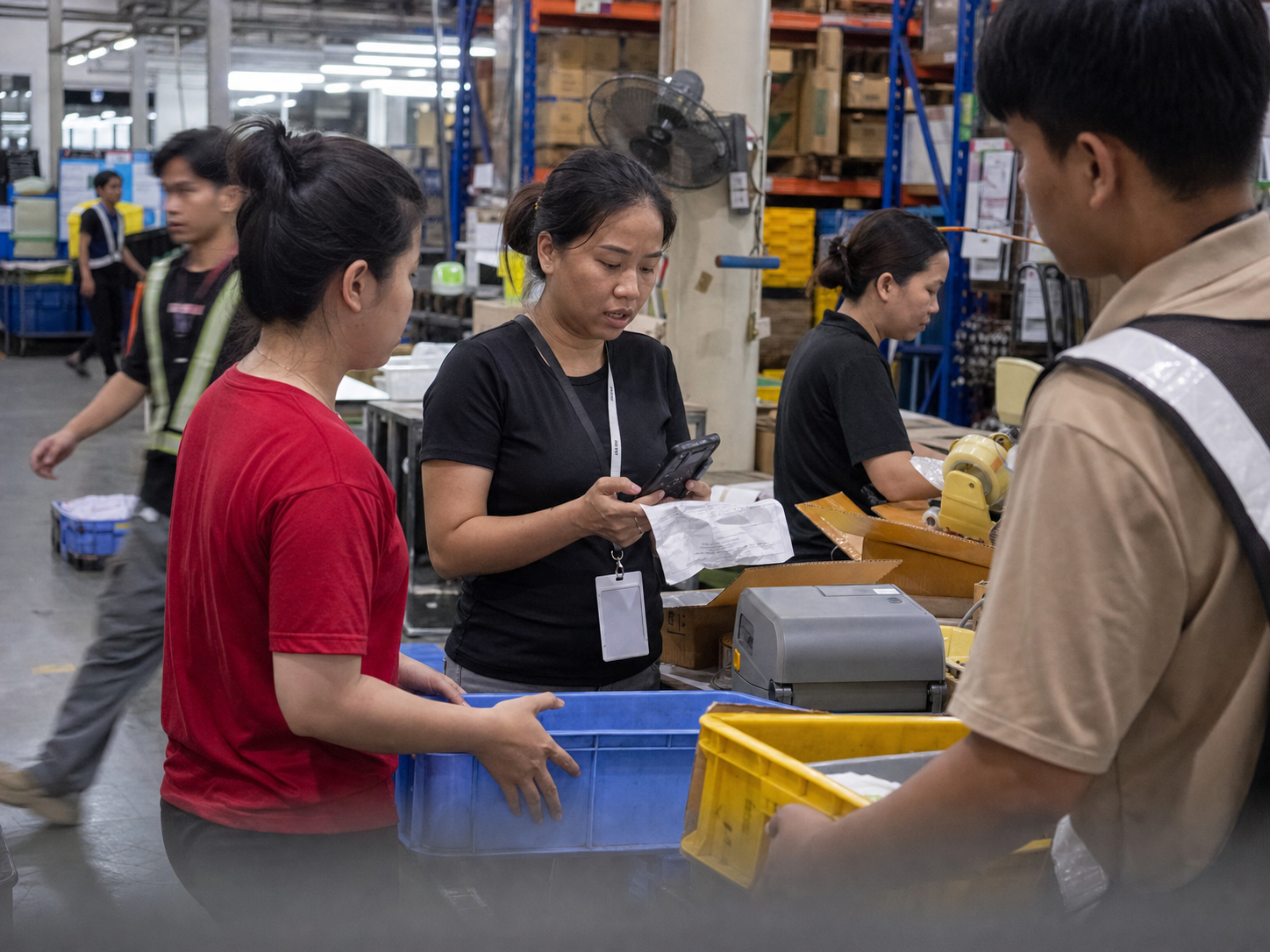
When marketplaces set the rules
Priority shipping, campaign cut-offs and SLA rules change by channel. Your team works harder, but one late or disputed order can still cost margin and customer trust.
Priority shipping, campaign orders and different platform cut-offs make FIFO the wrong answer.
Late dispatch · platform penaltiesMarketplace, webstore and retail availability drift apart while the warehouse works from another number.
Overselling · cancelled ordersThe business wants another sales channel. The floor pushes back because it expects another process and queue.
Slow launches · manual workCustomer service needs an answer now, but proof is buried in warehouse messages, CCTV or memory.
Slow replies · weak disputesThe ODIN priority queue
ODIN brings every authorised order into one queue and continuously re-ranks the work as deadlines, stock and exceptions change.
Product screen previews · Simulated data · Example snapshot: 26 September 2026
Monitor instant-delivery demand by marketplace and spot orders held at picked or allocated status.
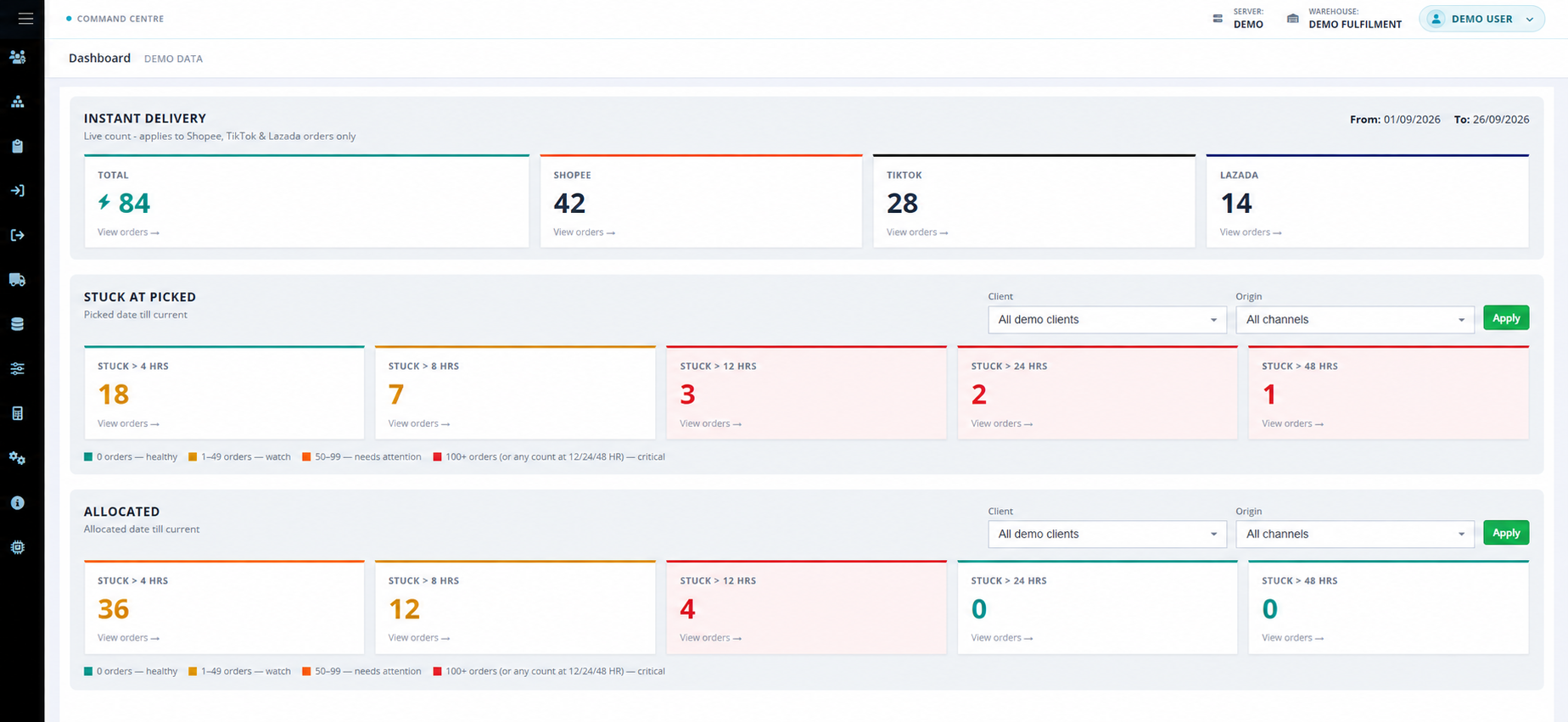
Three picked orders have waited over 12 hours, including one over 48 hours. The ageing bands overlap: they show how long work has been waiting.
Compare incomplete orders by channel and SLA date, then review the order status, deadline and pick priority in one list.
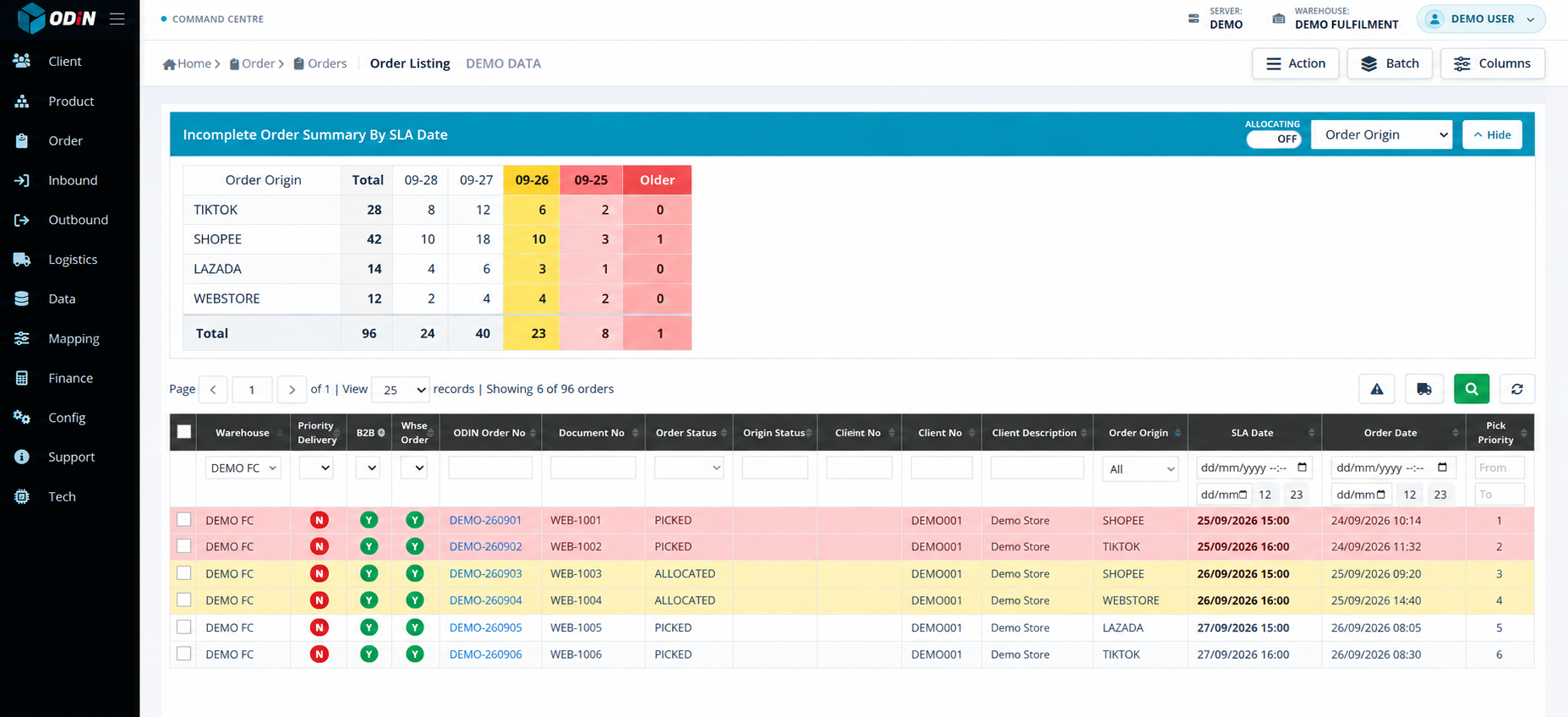
Of 96 incomplete orders, 23 are due today and nine are overdue. Start with the overdue rows, then protect today's dispatch deadlines.
Omnichannel without warehouse chaos
Shopee, TikTok Shop, Lazada, Shopify, your own webstore and retail POS can share one controlled inventory and fulfilment flow.
YOUR SALES CHANNELS

One place to
run the floor.
YOUR WAREHOUSE WORKFLOW
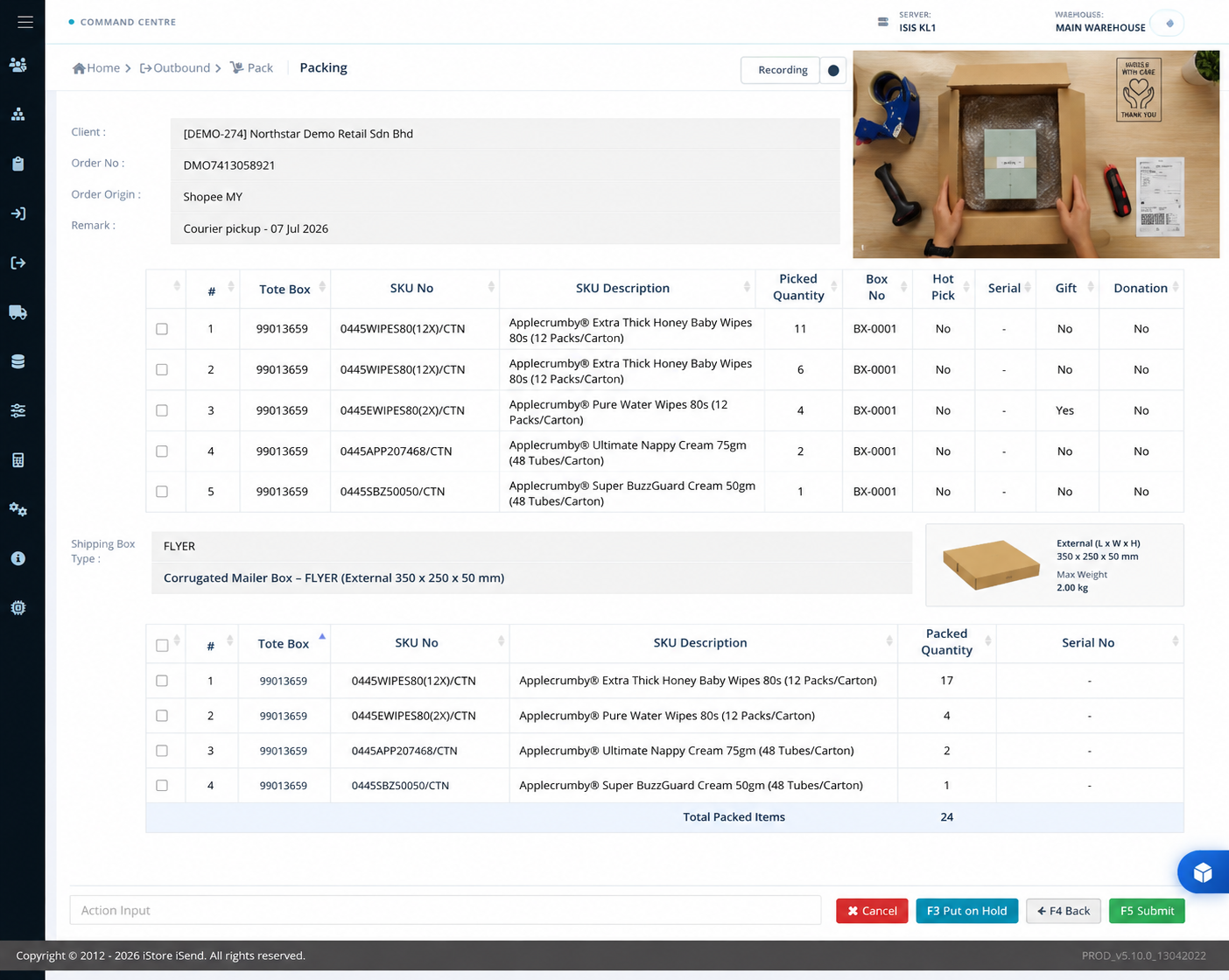
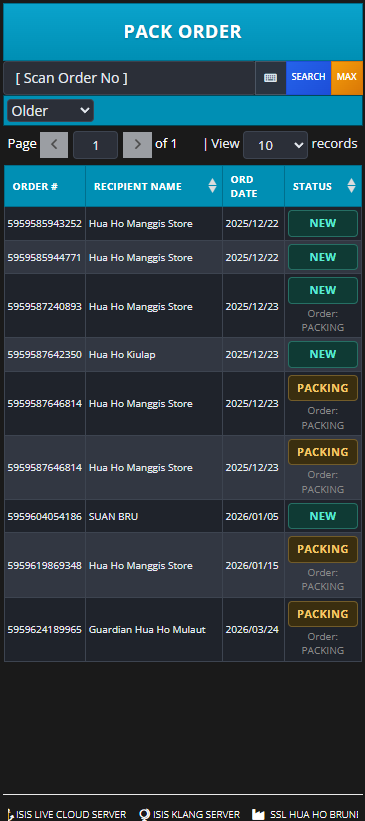
Packing video streaming
ODIN links the packing recording to the order. When a customer or marketplace asks what happened, authorised teams can stream the parcel evidence immediately.
Bring one week of orders
Review your marketplace promises, stock conflicts, cut-offs and packing disputes in one working session.